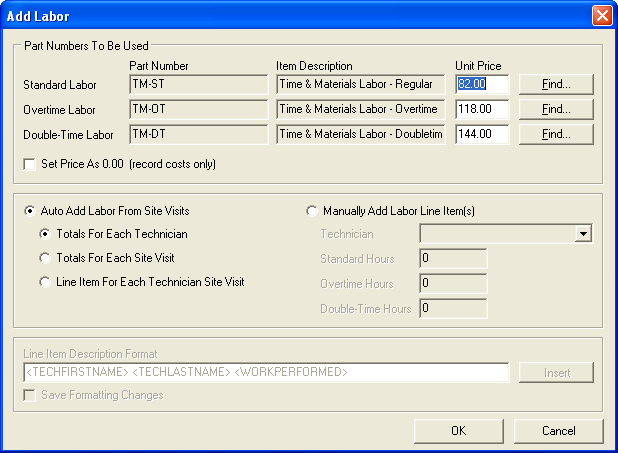
This page goes a little more into detail about adding labor charges to an invoice. When you have the service call screen in front of you and switch to the Charges tab, it should look like the image below. Next, hit the Labor button.
![Service Call: 103113 [[ABC001] Store #001] - Charges tab - Labor button](https://help.jobcost.com/wp-content/uploads/2016/08/Service-Call-103113-ABC001-Store-001-Charges-tab-Labor-button.png "Service Call: 103113 [[ABC001] Store #001] - Charges tab - Labor button")
The add labor screen appears. Here, you can adjust the charge rates for standard labor, overtime, and double time by using the Find buttons next to the respective charge rate. It is important to note that you can add different description labels by adding their tags to the white space under Line Item Description Format.