New Service Calls are entered when a call comes in from a client or potential client. There are a few ways to enter a New Service Call, all of which are outlined below. Please refer to the first method
[Method 1] To enter a New Service Call:
1. From the menu, click Tools
2. Click New Service Call
3. The New Service Call form will open.
Remember, this is your record of the call. Enter as much or as little information about the call as you wish.
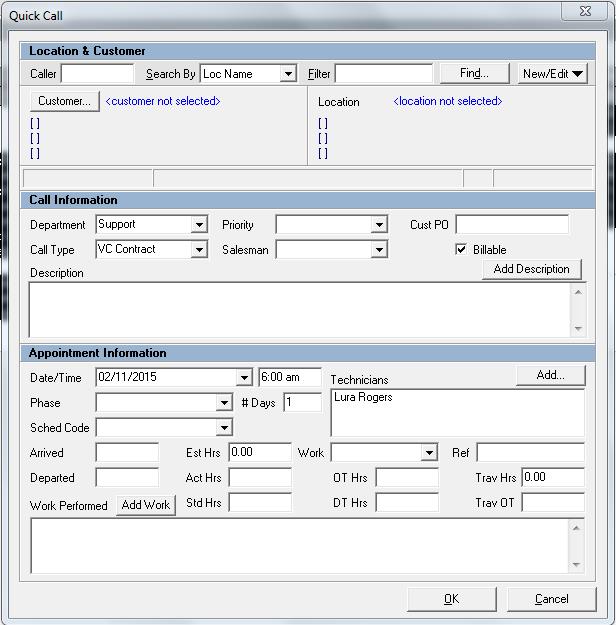
4. Click Save and Close to finish.
[Method 2] To enter a New Service Call:
1. When you are viewing any kind of dispatch board, right click on the grid
2. A context menu appears. You can select New Service Call... to create a new call
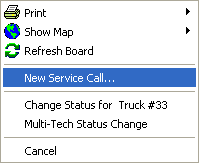
3. The New Service Call Form opens. Fill out all necessary information to finish creating the call
[Method 3] To enter a New Service Call:
1. Navigate to File > New Item
2. A context menu appears. You can select Service Call to create a new call
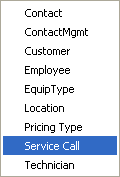
3. The New Service Call Form opens. Fill out all necessary information to finish creating the call
[Method 4] To enter a New Service Call:
1. On the toolbar, click the Call button

2. The New Service Call Form opens. Fill out all necessary information to finish creating the call
[Method 5] To enter a New Service Call:
1. Press the F10 key on your keyboard
2. The New Service Call Form opens. Fill out all necessary information to finish creating the call