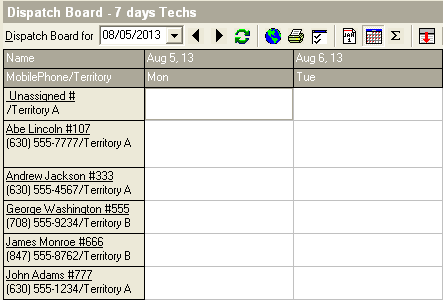

 |
Date - The first day that is listed on the Dispatch Board |
 |
Left and Right arrows - Use them to scroll to the previous or following day |
 |
Refresh - The green arrows will refresh the boards information |
 |
Service Call Map - Shows calls and site visits on a map |
 |
Printer - Prints what is on the screen |
 |
Board Options - Customize the Dispatch Board's appearance |
 |
Daily Board - Shows Visits on a daily basis |
 |
Multi-day Board - Shows Visits on a Multi Day basis |
 |
Summary Board - Shows Summary of Visits, such as hours |
 |
Hide Call List - Hides the Call list located at the bottom of the Dispatch Board |
 |
Excl Competed - Excludes Site Visits that have a Completed Status (only shown when on the Daily Dispatch Board) |