MRM allows you to generate invoices from the Service Calls. This is done through the "Charges" tab on the Service Call. When you generate an invoice, you must include line items, such as parts.
TIP: Before creating an invoice, make sure that you have Inventory Items (i.e. parts) in MRM to add to the invoice.
To add/check Inventory Items in order to include them on an invoice:
1. Click Invoices folder
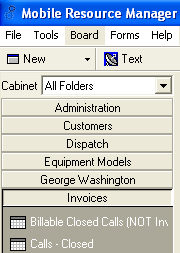
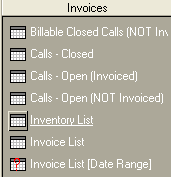
2. Click Inventory List
3. This grid will give you a list of part numbers, descriptions, and Unit Price, among other things
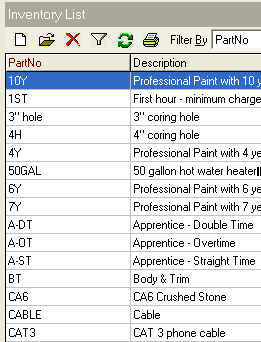
4. Double click on a Part to open up the form and make changes
![Inventory Item [CAT5-25] - Main Info tab](https://help.jobcost.com/wp-content/uploads/2016/08/Inventory-Item-CAT5-25-Main-Info-tab.png "Inventory Item [CAT5-25] - Main Info tab")
5. Enter any pertinent information
6. Click Save and Close