Another tool that can be useful is the ability to view who's logged in to Mobile Resource Manager at any given moment.
To view user's logged in:
1. Click File
2. Click Administration
3. Click View User's Logged In
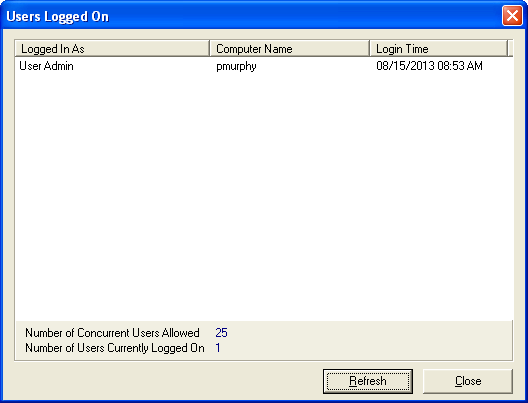
Besides being able to see who's logged in, you can see from what computer and what time they logged in. You can also see how many licenses you currently have.